How to Use PavoTV on TV: Your Complete Guide
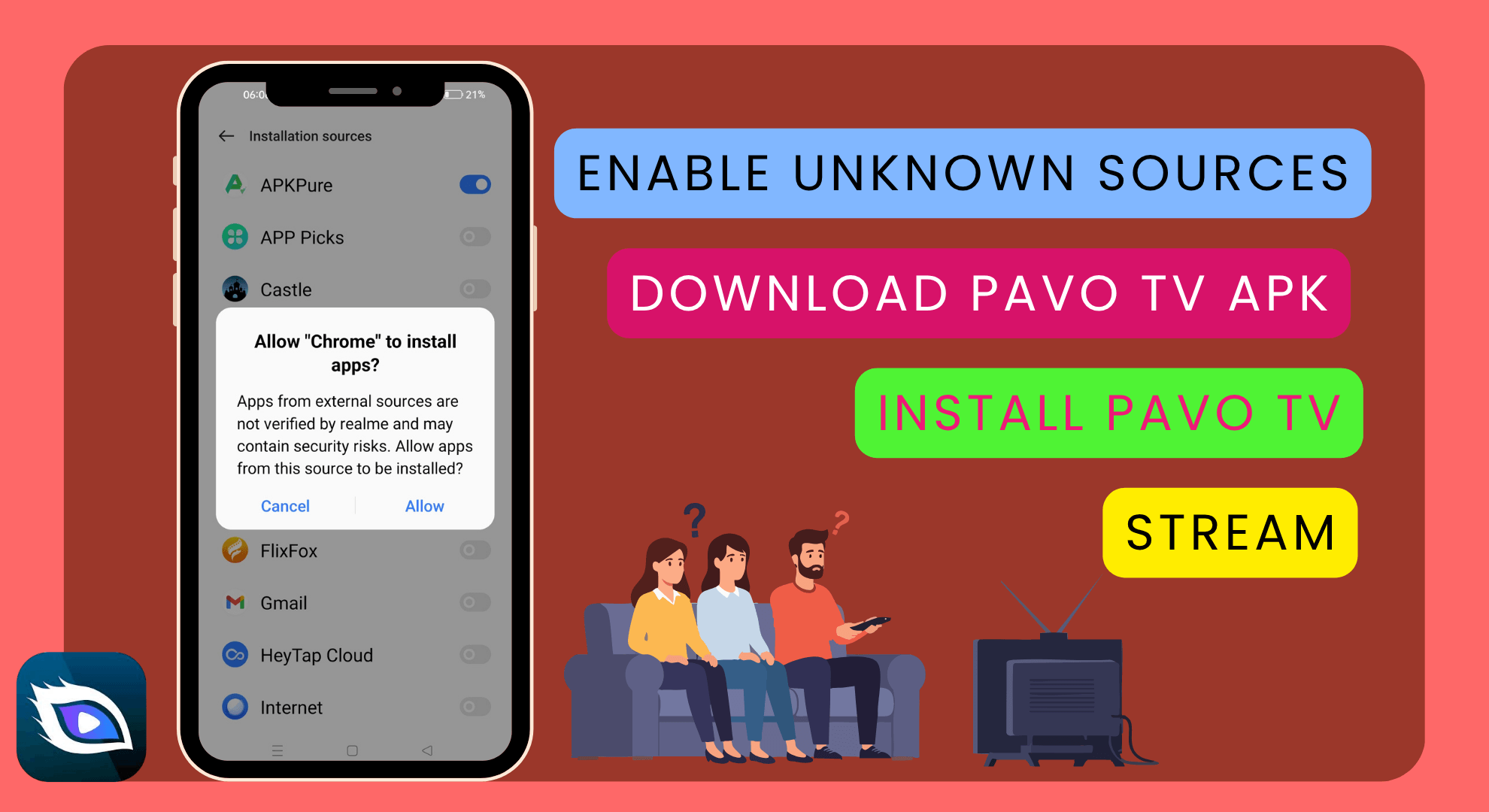
Want to stream your favorite movies, web series, or live sports on the big screen? PavoTV for TV lets you watch all PavoTV entertainment on Smart TVs, Android TVs, or Fire TV devices. From a family movie night to the latest cricket match streamed live, the PavoTV app provides uninterrupted HD streaming with an easy-to-use interface and ad-free entertainment (with Premium).
👉 Get PavoTV APK App Now!
How to Install PavoTV on Smart TV
How to Install PavoTV on Smart TV
PavoTV installation on a Television is so easy, and there are several methods for it, depending on your device type. The APK file has been specifically designed for Android-based Smart TVs and TV/Boxes. It is an optimized streaming app that offers all the functionalities you need, whether at home or on the go.
Here are three simple ways to add the PavoTV for Android TV app:
🧩 Option 1: USB Drive - Sideloading
Here is the step-by-step process for downloading and installing the PavoTV APK on your phone or computer.
Download the latest PavoTV TV APK here.
Transfer the APK file to a USB drive.
Connect the USB device to the USB port of your Smart TV.
Open File Manager on your TV and locate the APK file.
Select Install, and step through the dialogue to set everything up.
After installing, click OK and open PavoTV. Enjoy the stream!
It's a great way to download from your favorite browser on TVs that don't have built-in browsers. This option is the safest way to sideload the TV app.
🌐 Method 2: Download from the TV browser
If you have a Smart TV and surf streaming services using its remote control:
Open the browser on your TV.
Log on to our PavoTV APK website.
Just click the “Download PavoTV APK” button.
After the download completes, open the downloaded file.
Turn on “Install from Unknown Sources” if it is off.
Click Installation to access free movie streaming and live TV immediately.
The above is the fastest and easiest way to download PavoTV on a Smart TV without any dongles.
🔥 Method 3: Install PavoTV on Firestick / Android TV Box
And for those with Firesticks or Android TV boxes, it’s easier than you might think:
Go to Settings > My Fire TV > Developer Options.
Enable Apps from Unknown Sources.
Download Downloader from the Amazon App Store.
Open it and enter the PavoTV address.
Tap Download PavoTV TV App in the menu that appears, then download it.
After installation, just go to your TV's Apps and scroll down to PavoTV. Open it up and sign in (or not) for all your streaming needs in high quality.
Using the PavoTV App on Your Smart TV
Using the PavoTV App on Your Smart TV
PavoTV is easy to use on your TV once installed. It's been designed for big-screen streaming, with bigger icons, easier navigation, and grouped menus.
Home Screen: Movie popularity, latest shows, and live sports channels.
Categories: Find movies, web series, anime, live TV, and many more categories easily.
Search Bar: Type using your remote or use the onscreen keyboard to find titles faster.
Watchlist: Add movies and series to your Watchlist to easily find them later.
Settings: You can change languages, subtitles, and video quality at any time.
You can also switch between free and premium. Premium members enjoy no ads while watching, access early episode content before anyone else, and view full-quality videos.
Why PavoTV for Big Screens?
Why PavoTV for Big Screens?
The PavoTV streaming app for Smart TV is recommended to take advantage of it fully. Here’s why people can’t get enough of it on the big screen:
🎬 Full HD Playing: Be ready for an original visual experience, clear picture quality, ultra-fine sound quality, get rid of ghosting and smear, to regain sharpness, similar to appearance in the theater.
📺 Easy Remote Navigation: User-friendly controls that work perfectly with your TV remote, helping you easily play all of your favorite games.
⚡ Fast Performance: With super servers to reduce buffering, even when live sports are in action.
👨👩👧 Family-Friendly Interface: Share the overlapping content with everyone in your house, from kids' shows to action movies.
🏆 Try Free for 5 Days: New TV users can try out five days of free Premium with ad-free viewing and exclusive shows.
🔊 Superior Sound Quality: The audio signal can be transferred to the sound system of your TV with great ease for a phenomenal viewing experience.
Be it a Binge weekend or Party night, your TV just couldn’t get enough of the best-in-class content we have in store for you!
Frequently Asked Questions
Frequently Asked Questions
Q: I downloaded the PavoTV app, and now it says there is no 5-day free Premium. Why?
A: The Free 5-Day Premium access is valid only for new users who subscribe. If you've already logged in to the account on another device, your system might not treat it as a new login on ALL devices. Try signing up through a different account, or contact customer service from the app’s Help section.
Q: How do I download videos in the TV app?
Q: How do I download videos in the TV app?
Currently, you can download songs only on mobile and tablet. But on TV, you can also add movies to your Watchlist, so they are easy to find and watch again. The team is also working to include the download feature in the TV app in a future update.
Q: Does PavoTV support screencasting?
Q: Does PavoTV support screencasting?
Yes! You can cast PavoTV to your Smart TV from your Phone or Tablet using Chromecast, Miracast, or other casting devices. Simply start the PavoTV app on your mobile device, tap the Cast icon on the screen, and choose the TV you want to cast to.
Q: Why is there no subtitle in the downloaded movie?
Q: Why is there no subtitle in the downloaded movie?
If you don’t see subtitles, it’s because the program you are watching does not have embedded subtitle options. Check the playback settings to see if there’s a “subtitle” beat you can access. TV currently supports limited subtitle features, but more features will be added in future updates.
Conclusion
Conclusion
Enjoy streaming your favorite content online directly on your TV with PavoTV on TV! Live sports, Bollywood movies, and shows for the whole family- it’s all available for you to watch on this application. With easy installation, high HD resolution, and free Premium trials for new users! – Then why not get yours today and join hundreds of thousands of fellow happy customers in India & change our TV watching experience and subscribe to PavoTV Smart TV.
👉 [Get PavoTV on TV Now] and turn your living room into your private theatre!